Transport & transfer operations

Every trip, from the customer's request to the money in the bank - on one system

Etolv Dispatch is operations software for transfer, chauffeur and Umrah transport companies: quotes and bookings, a dispatch board for vehicles, drivers and subcontractors, an Android and iOS driver app with live tracking, a customer portal, tax invoices with ZATCA e-invoicing, and full accounting - in Arabic and English.

Driver app & live tracking ZATCA Phase 2 e-invoicing Arabic & English
Request to ledgerQuote, booking, dispatch, trip, invoice and journal entry in one flow
ZATCAPhase 2 e-invoicing built in, not bolted on
12 languagesIn the driver app, so every driver works in their own language
APIA public API and webhooks for n8n, Zapier and your website
Modules

Ten systems for a transport company, on one database

The trip sales prices is the same trip dispatch assigns, the same one the driver closes from the phone, and the same one that lands on the invoice, the journal and the trip profit report - with no spreadsheet or chat thread in between.

Quotes & bookings

  • Multi-trip quotes: transfers, hourly and daily hire
  • Prices fill in from your own rules, with extras such as luggage trailers
  • An accepted quote becomes a booking in one click, with a passenger manifest
  • An AI assistant reads a WhatsApp or e-mail request in Arabic, English or Urdu and fills in the trips
Pricing

  • Zone-to-zone rules per vehicle class and trip type
  • Customer-specific prices and rule priority
  • Seasons with their own prices
  • Prices with VAT included or added, as you choose

Dispatch board

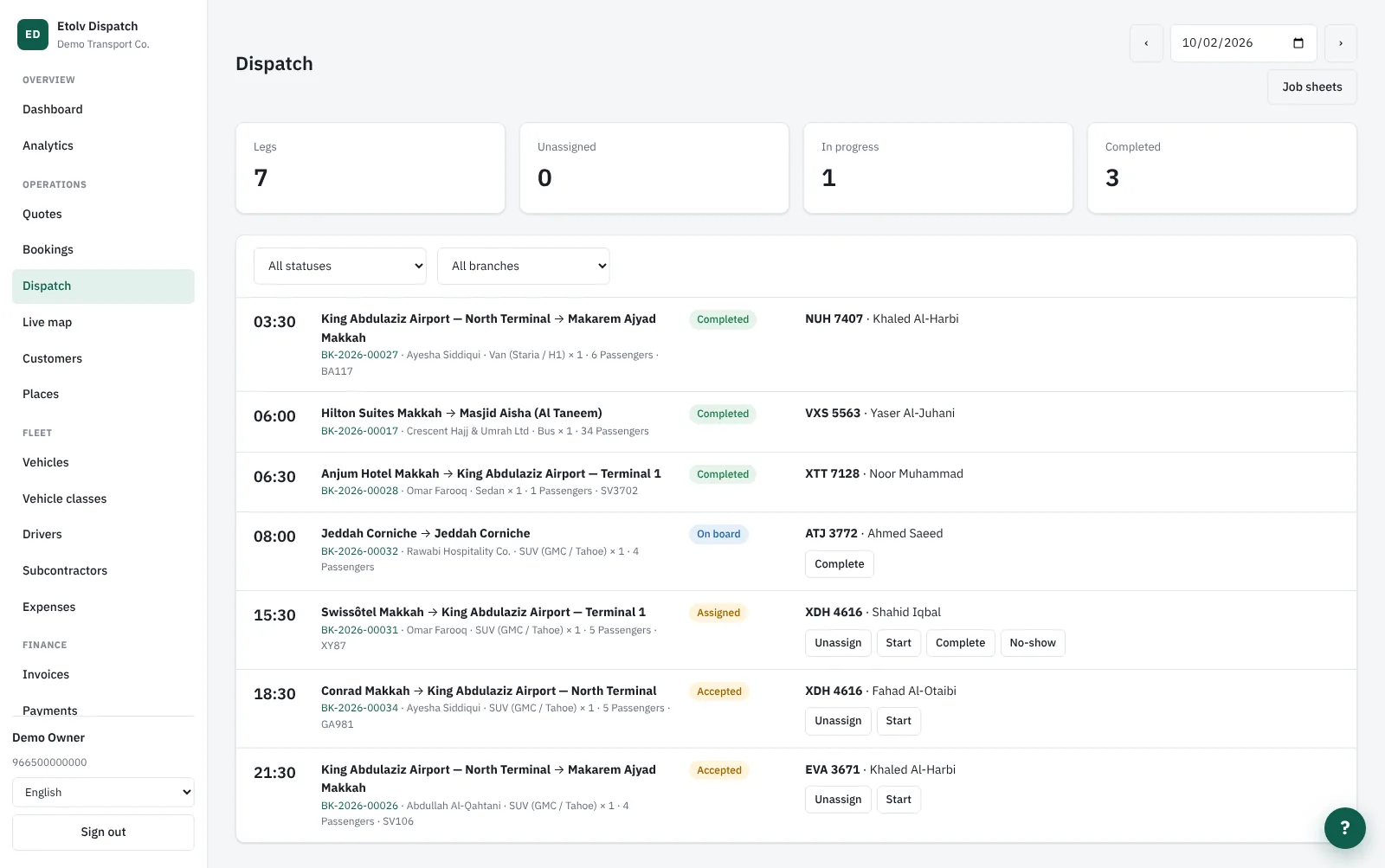
  • The day's trips in your company's time zone, by status and branch
  • Assign a vehicle and driver, or farm the trip out to a subcontractor at a cost
  • Conflicts are refused: a busy vehicle, too few seats, an expired document
  • Split a trip across several vehicles, and print a job sheet per driver

Driver app

  • An Android and iOS app, plus a web version that opens in any browser
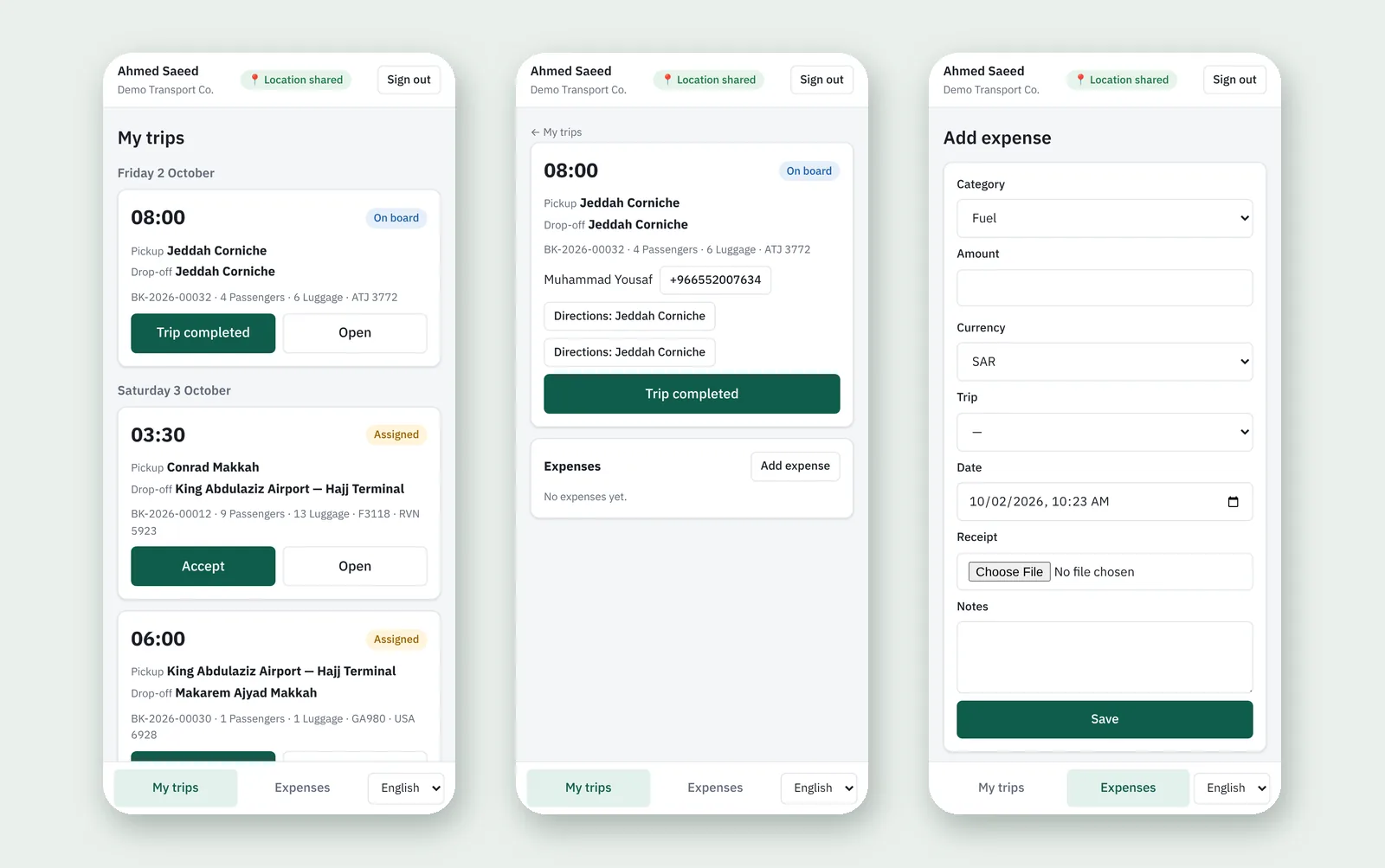
  • Trip steps: accept, on my way, arrived, on board, completed - or no-show
  • Call the passenger, navigate with Google Maps or Waze in one tap
  • Expenses with a receipt photo, in 12 languages including Arabic, Urdu, Hindi and Bengali

Live tracking

  • The driver's position every 30 seconds while a trip runs, screen off included
  • A live map for the office with every driver on a trip and a rough ETA
  • A "where is my driver?" link for the customer on WhatsApp and in the portal
  • Tracking stops when the trip ends - nothing is recorded outside trips

Fleet & documents

  • Vehicles, classes, drivers, branches and subcontractors
  • Vehicle and driver documents: insurance, inspection, residence permit, driver card
  • Warnings before any document expires, and no dispatch once it has
  • Profit per trip after the driver's allowance, expenses and vehicle cost

Invoicing & collection

  • Invoices drafted on confirmation, on completion, or monthly
  • Bilingual tax invoices, credit notes and debit notes
  • Multiple currencies, with the rate locked on each document
  • A credit limit per customer, statements and receivable ageing

ZATCA e-invoicing

  • Phase 2 onboarding with the Fatoora portal, step by step from settings
  • The key and certificate are generated and stored encrypted
  • Each invoice is signed and submitted by itself, with its status in view
  • A QR code on the printed invoice

Accounting & VAT returns

  • A ready chart of accounts and an automatic entry for every invoice, payment and expense
  • Trial balance, income statement, balance sheet and cash flow
  • Supplier and subcontractor bills and what is owed to them
  • VAT returns on the Saudi or Egyptian form, monthly or quarterly

Customer portal & WhatsApp

  • Customers request and accept quotes and follow their trips, invoices and balance
  • A booking form for your website whose requests arrive as priced quotes
  • Official WhatsApp messages: booking confirmed, driver assigned, driver on the way, invoice issued
  • Sent from your own verified number on the WhatsApp Cloud API
Channels

Requests arrive from everywhere, priced by the same rules

Wherever a request comes from, it enters as a quote tagged with its source, and analytics tells you which source converts best.

The office

Sales builds the quote, or pastes the customer's message and lets the AI fill it in.

Customer portal

Companies and agents request trips themselves and see a guide price from your rules.

Your website

Two lines of code put the booking form on your site; customers are matched by mobile.

API & webhooks

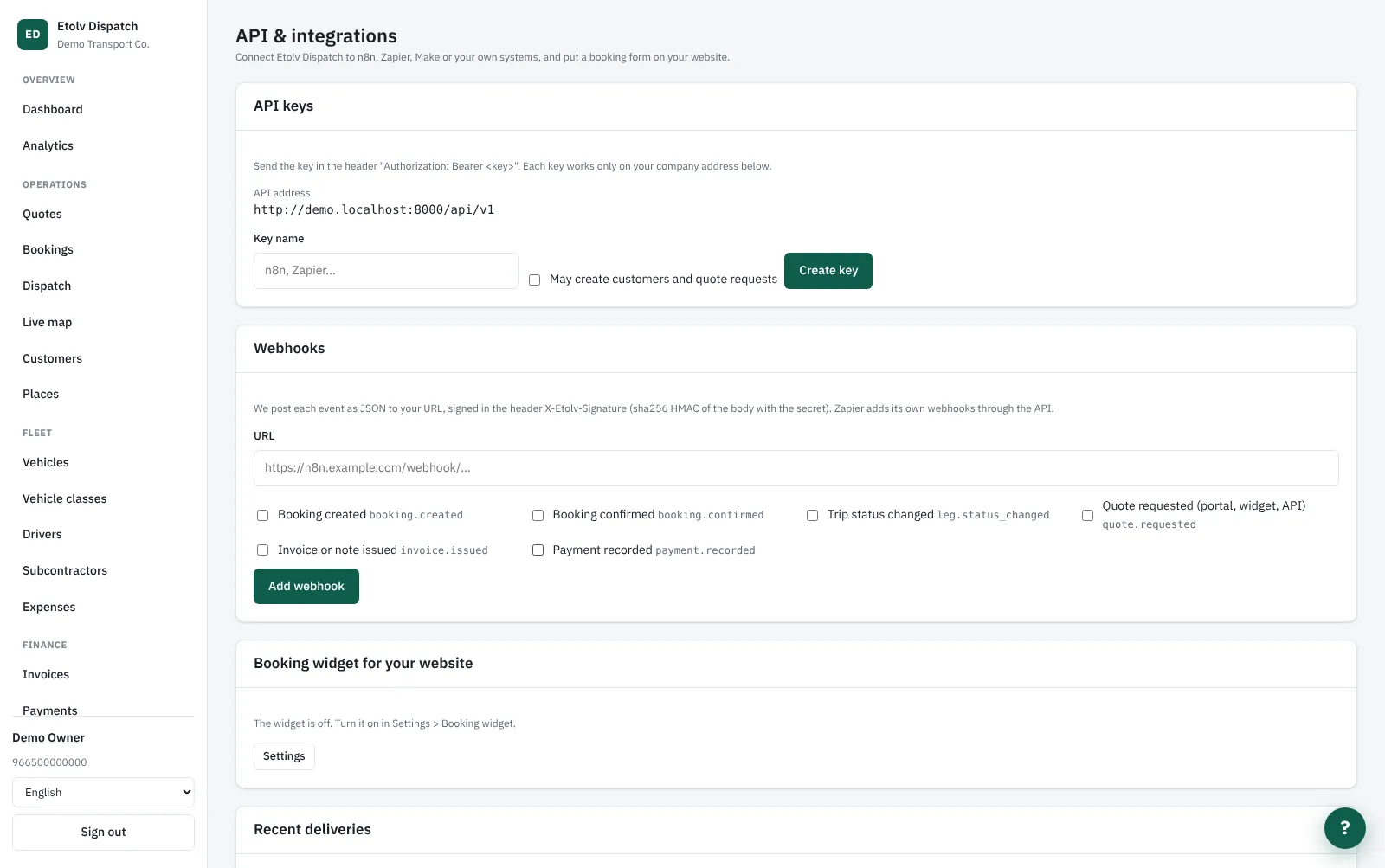
A documented API and six events, ready for n8n, Zapier and your own systems.

WhatsApp

Customer replies and delivery and read receipts show in the message log.

AI assistant

It matches hotel names and airport codes, in any language, against your own places.

From the system

See the system itself

These are screens from a running system with a demo transport company - not mock-ups. Click any image to see it full size.

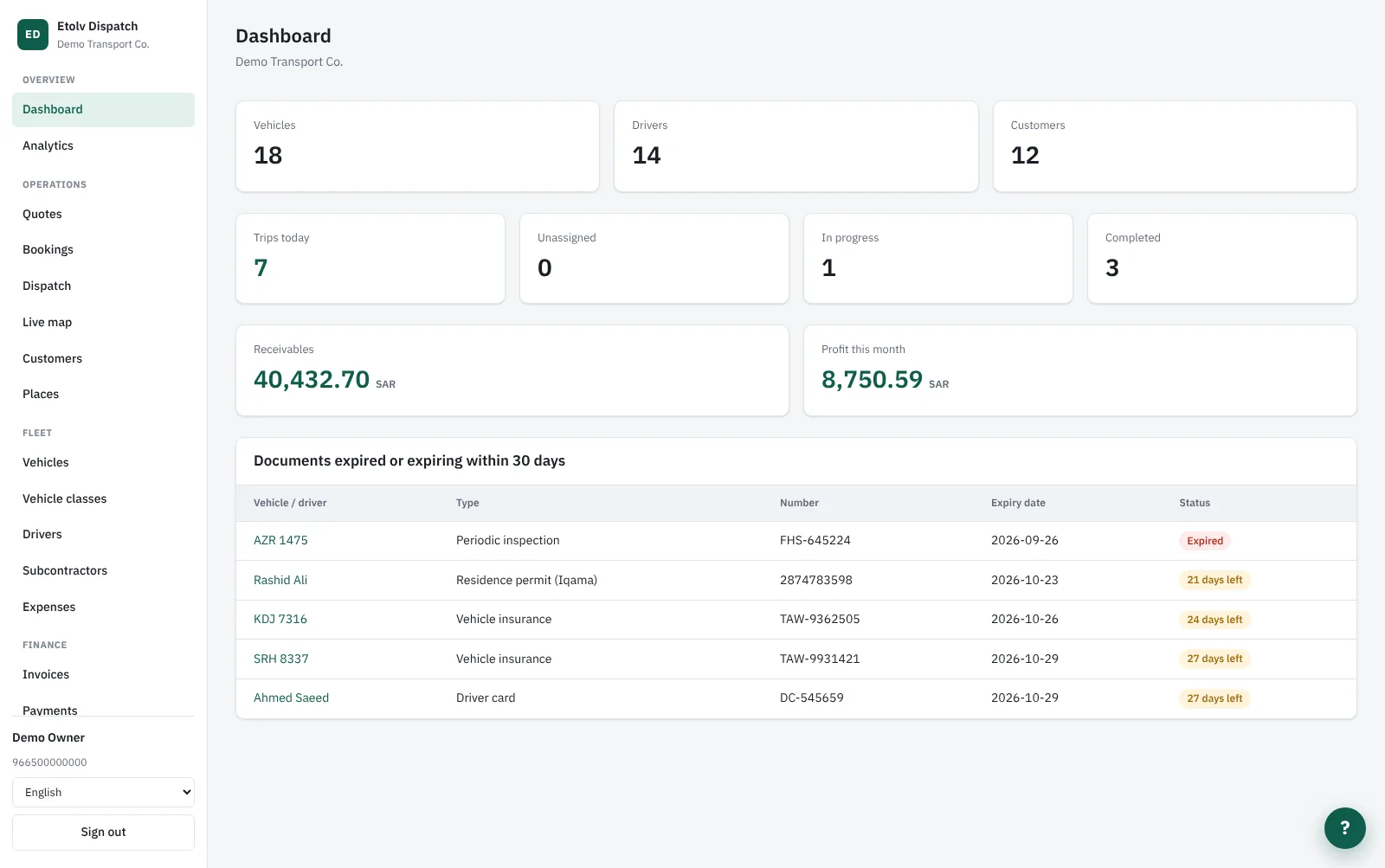
Today at a glance
Today at a glance Today's trips, receivables, this month's profit and documents about to expire
The dispatch board
The dispatch board Every trip with its time, status, vehicle and driver
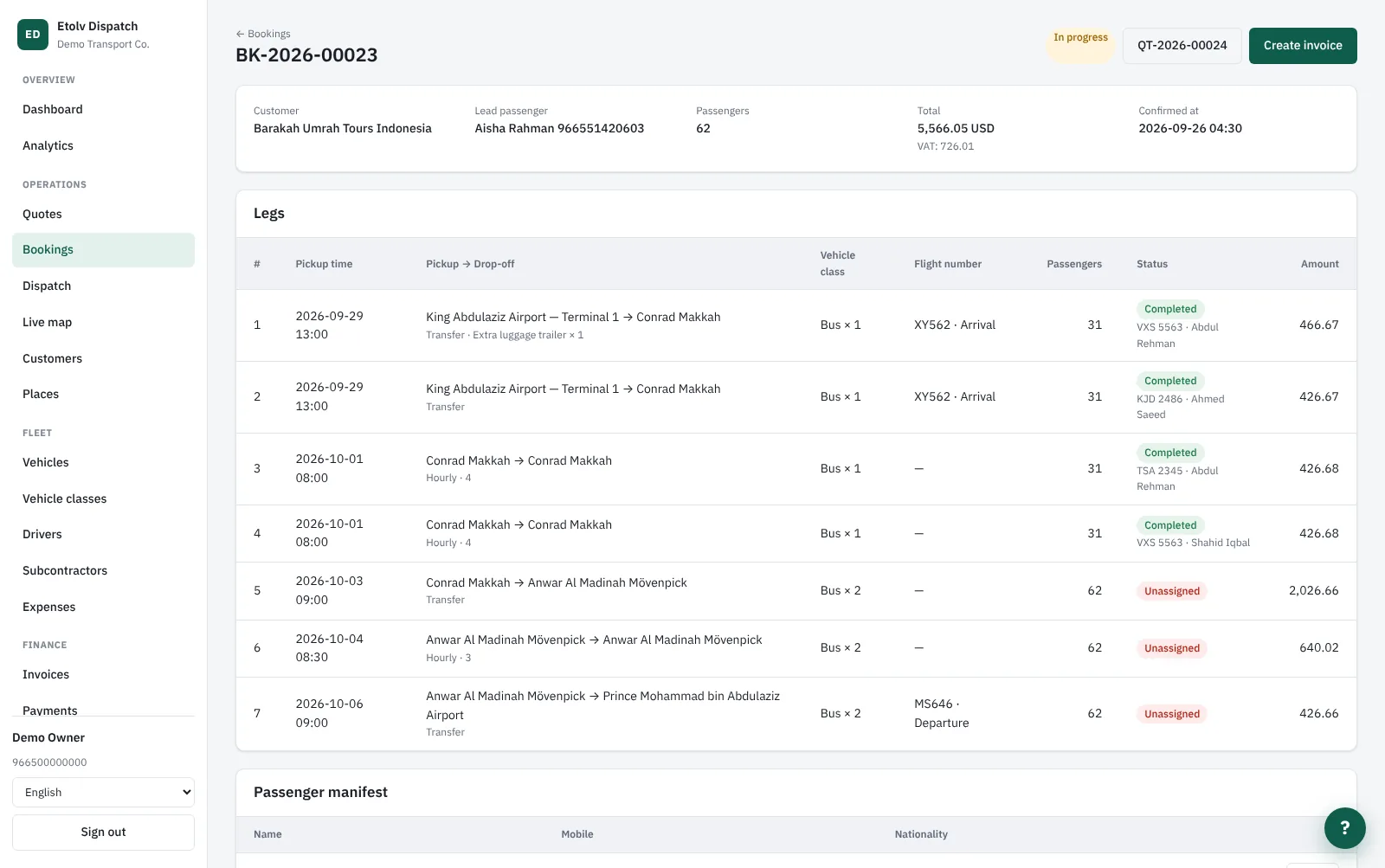
A booking
A booking The booking's trips, flights, passengers and the state of each trip
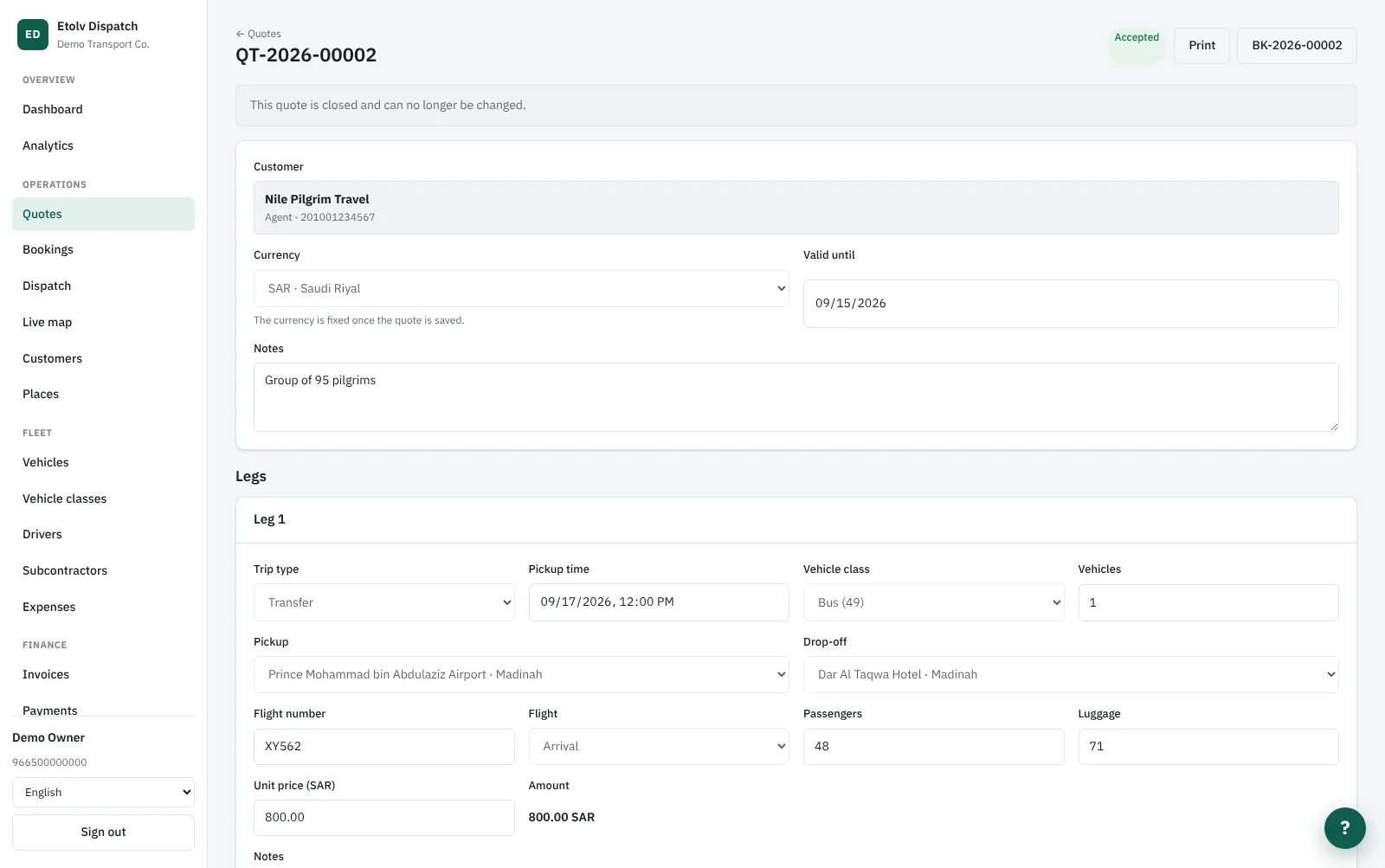
A quote
A quote Trips by type, time and vehicle class, priced from your rules
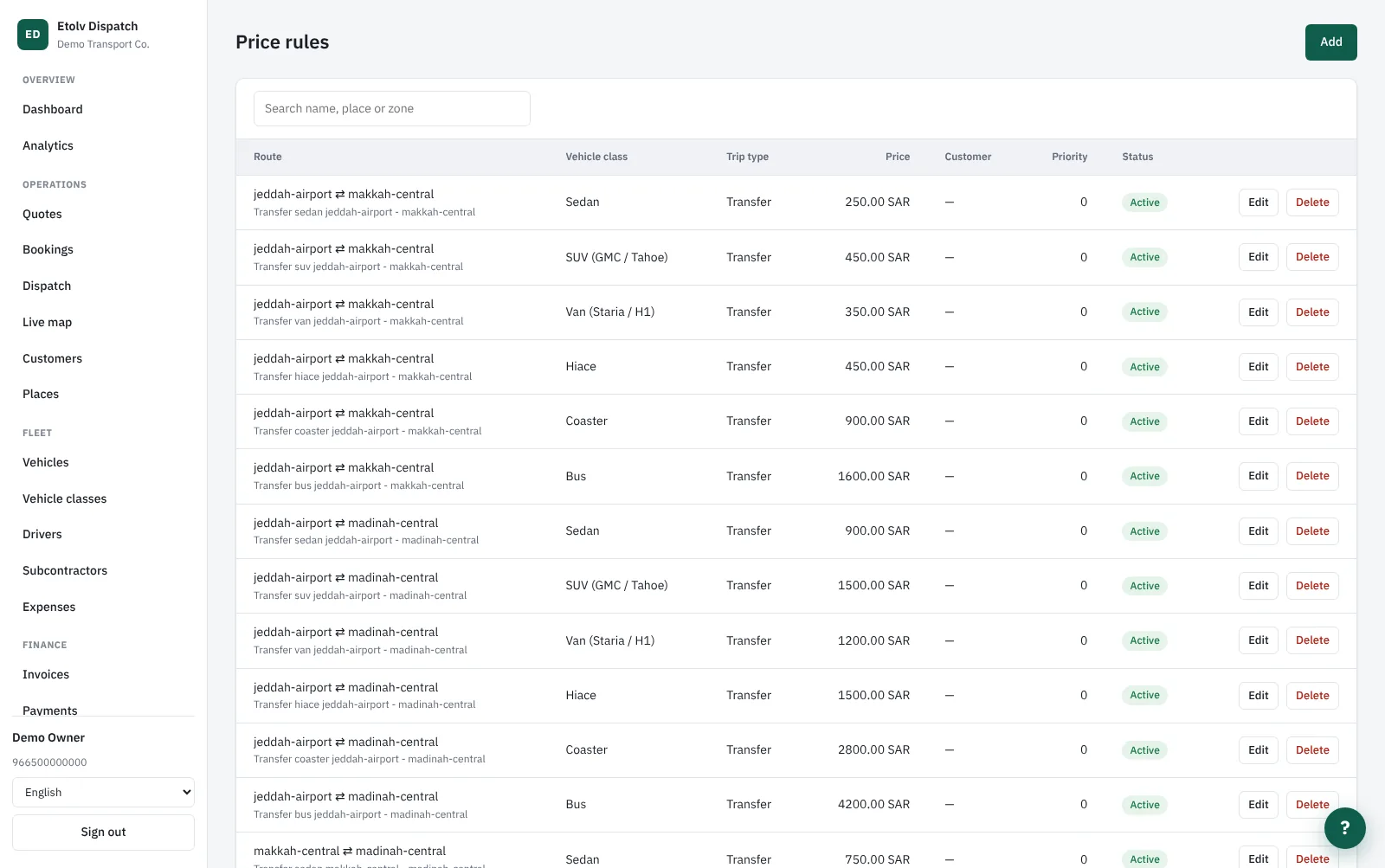
Price rules
Price rules A price per route, vehicle class and trip type
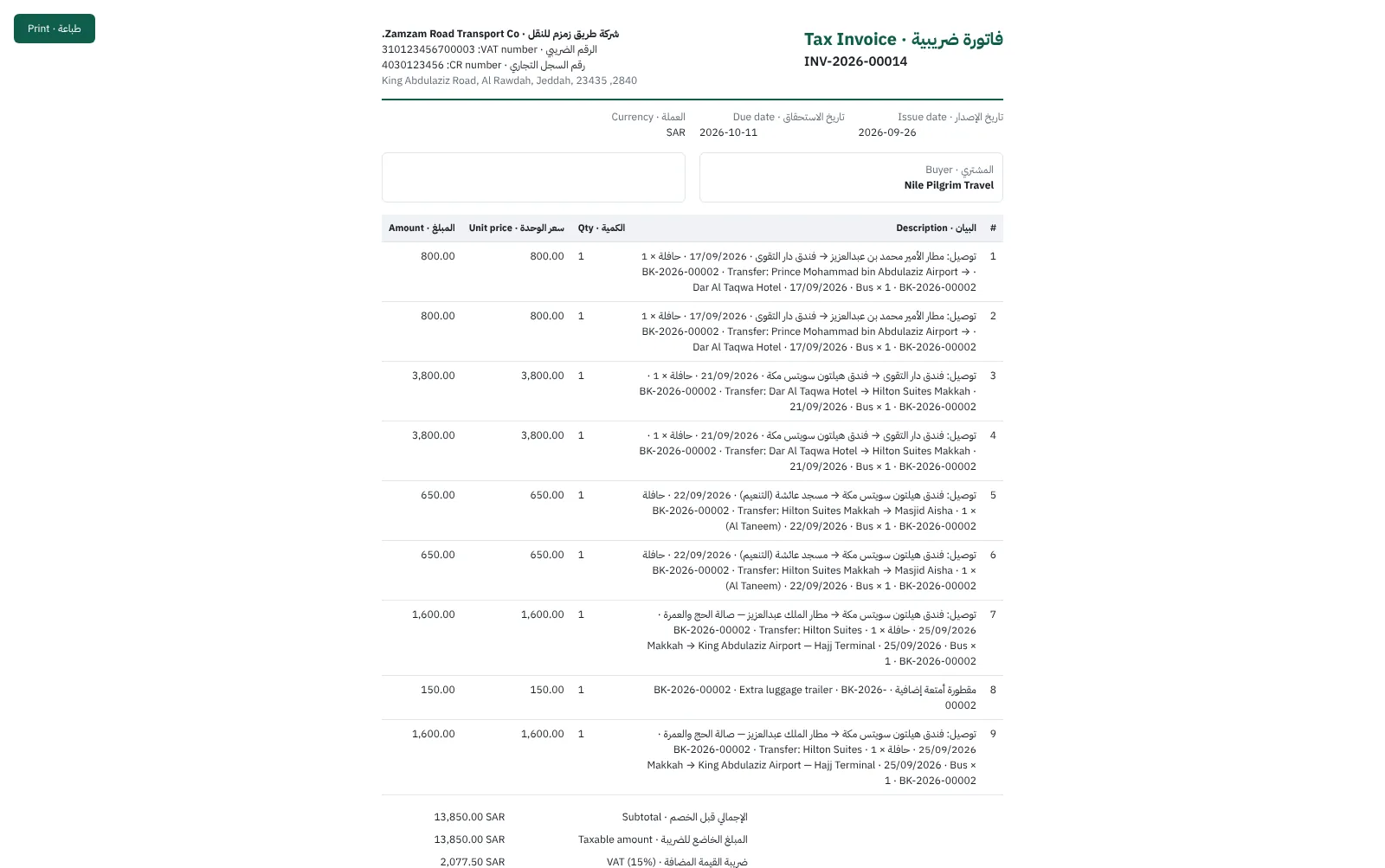
The tax invoice
The tax invoice A bilingual invoice with the VAT and commercial registration details
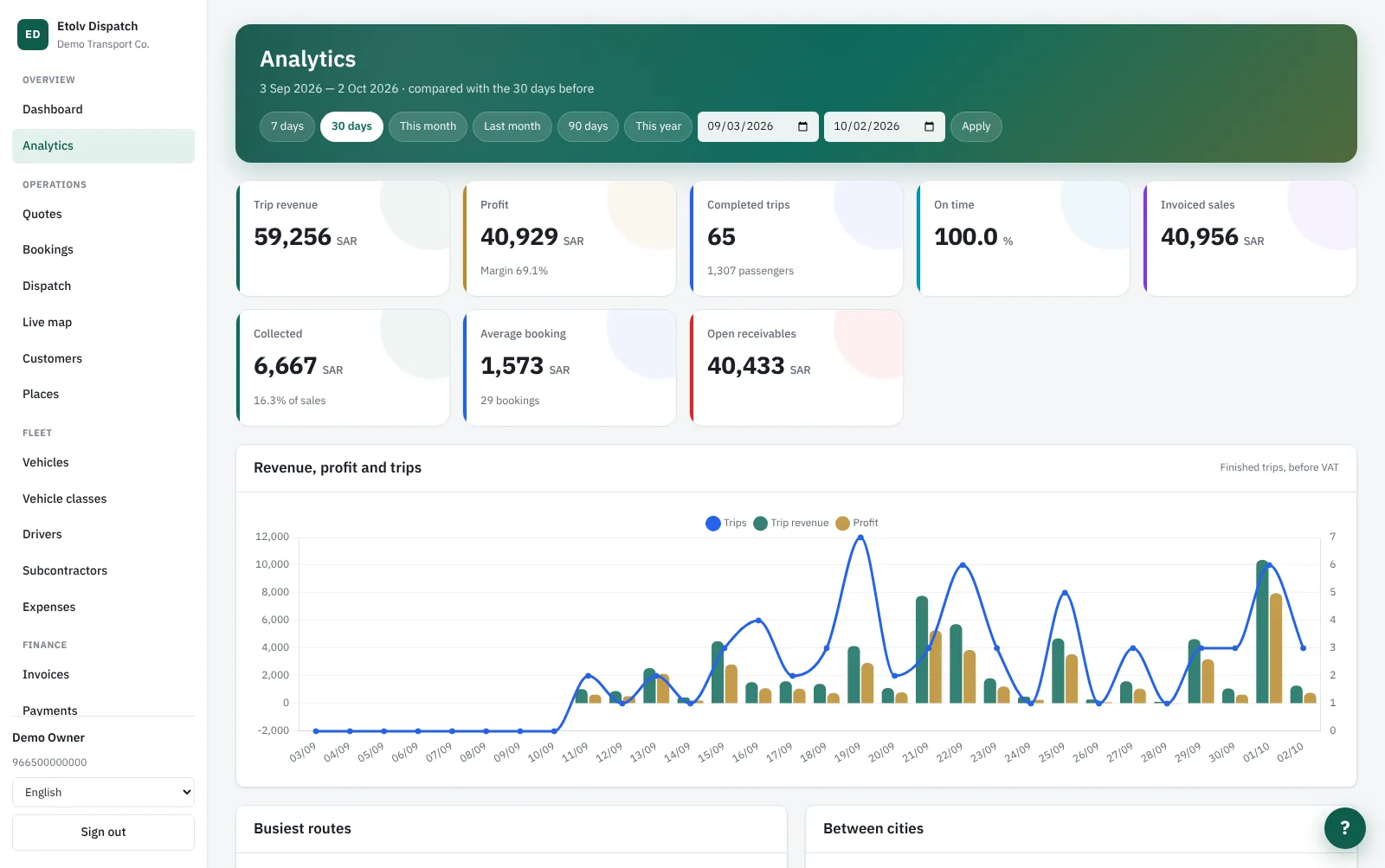
Analytics
Analytics Revenue, profit, trips and on-time rate against the previous period
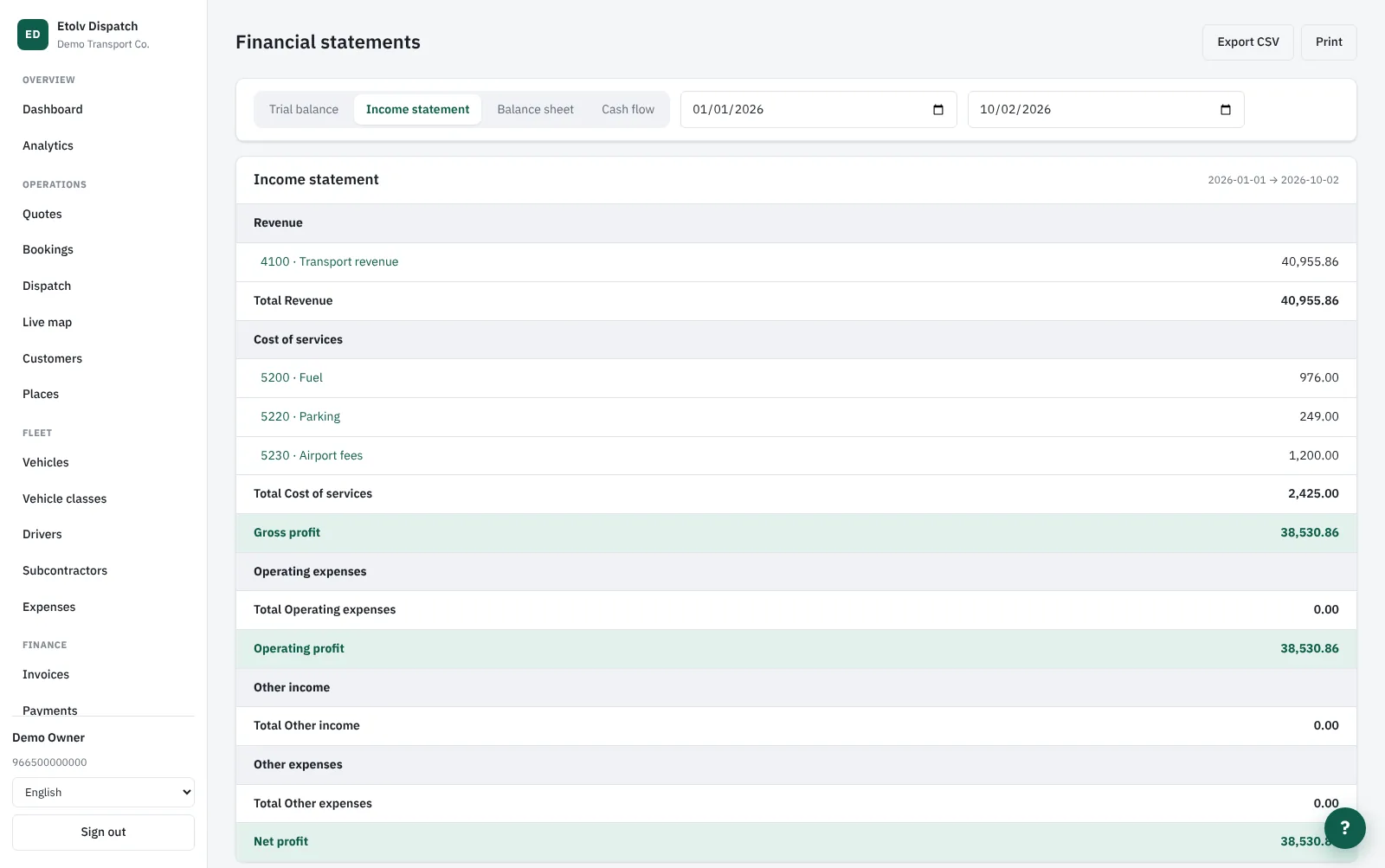
Financial statements
Financial statements The income statement, built from the entries the system posts itself
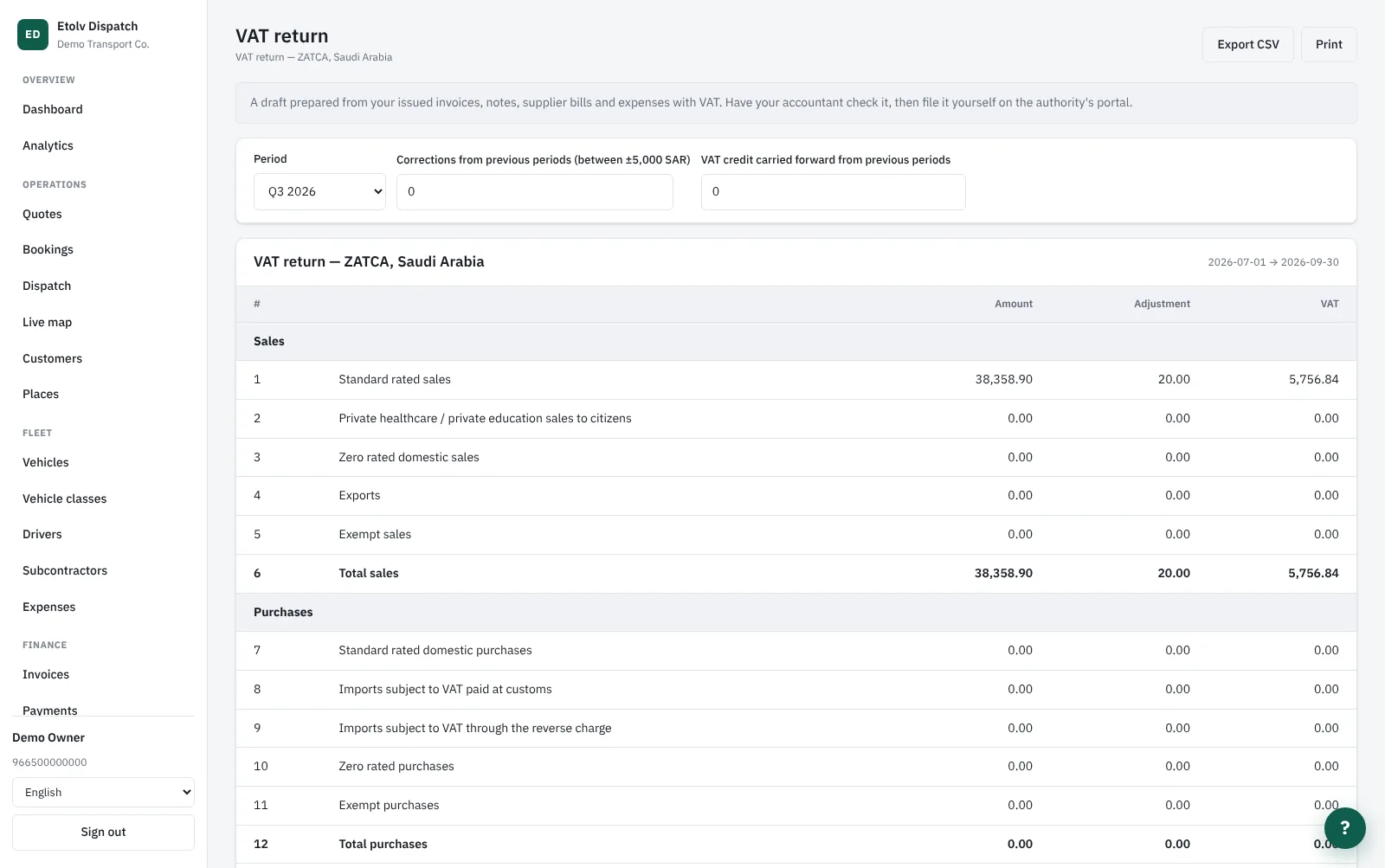
The VAT return
The VAT return The return laid out like the authority's form, ready to check and file
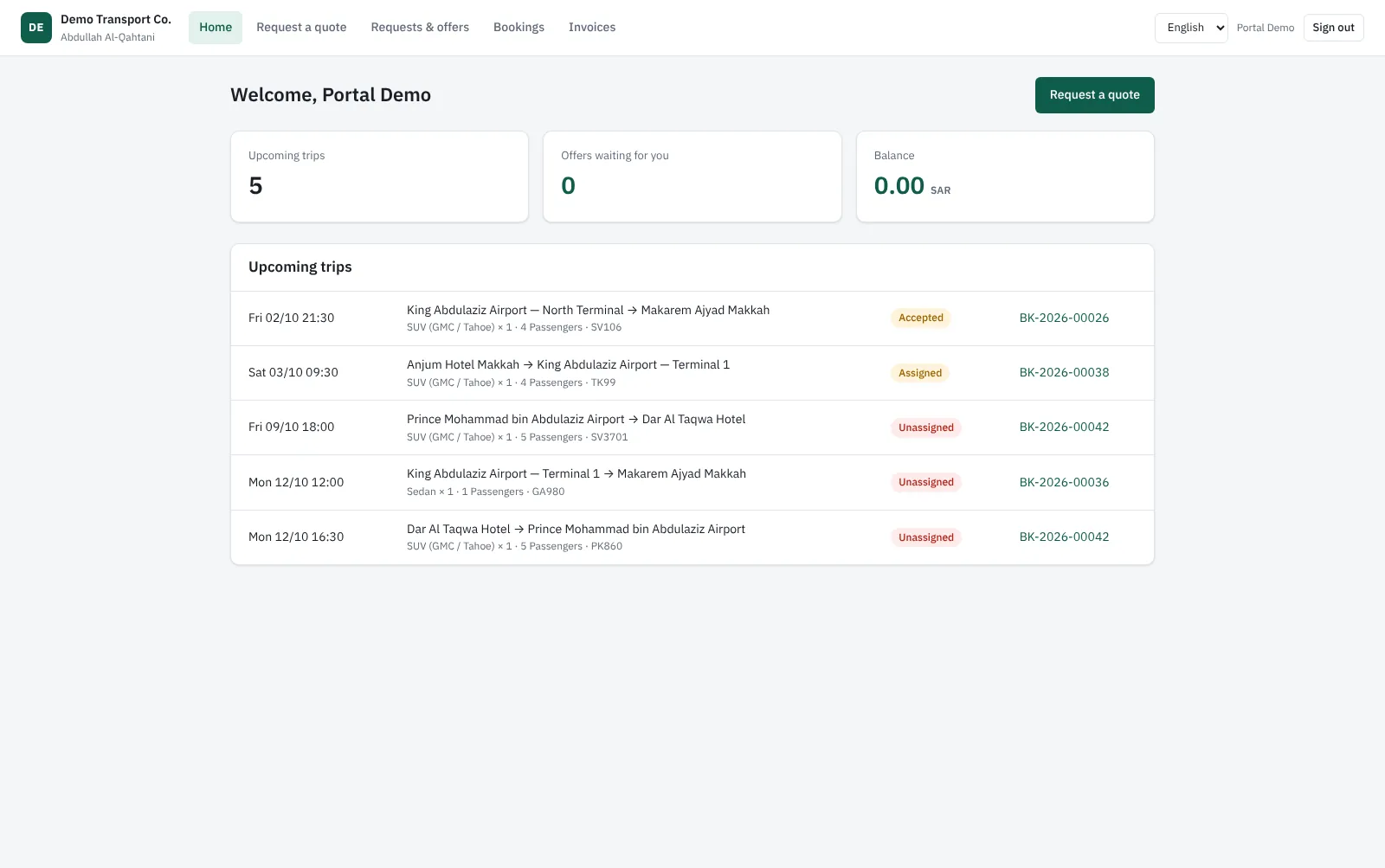
The customer portal
The customer portal The customer's upcoming trips, offers waiting and balance
The driver app
The driver app My trips, the running trip with tracking, and recording an expense
API & integrations
API & integrations API keys, webhooks and the booking form for your website
The real difference

Every trip knows what it made

Most transport companies know their revenue at month end, but not which route or which customer actually makes money. Here, as soon as a trip ends, the system takes from its revenue its share of the driver's daily allowance, the expenses recorded against it from the driver's phone, the subcontractor's cost if it was farmed out, and the vehicle's cost per kilometre, per day or per trip - whichever method you choose.

  • Profit per trip, per customer and per route
  • Expenses come in from the phone with a receipt photo and post to the ledger
  • How vehicle cost is counted is your setting, not ours
  • A driver leaderboard by trips, punctuality and revenue
etolv-dispatch · overview
Built for

Who it is built for

Airport transfer companies Airports, hotels and flights
Umrah & Hajj transport Groups, agents, Makkah and Madinah
Chauffeur & limousine Hourly, daily and corporate
Tour & DMC transport Your fleet plus subcontractors
Questions

Common questions about Etolv Dispatch

Does it work outside Saudi Arabia?

Yes. Each company has its own currency, time zone and VAT rate, and invoices can be in several currencies. The Fatoora (ZATCA) link is for Saudi companies, and the VAT return is available on the Saudi or the Egyptian form.

Do drivers need to install anything?

There is an Android and iOS app, and a web version that opens in the browser if you would rather not use an app. The office creates the driver's account on their mobile number with a temporary password, and the driver chooses their own at first sign-in.

I use transport subcontractors - is that covered?

Yes. Any trip can be farmed out to a subcontractor at a cost, the subcontractor gets a job sheet like a driver, and the cost flows into the trip's profit and into supplier bills and payables.

Can customers book by themselves?

From the customer portal or from the booking form on your website. The request arrives as a quote priced by your rules; once you send it, the customer accepts it and it becomes a booking.

Is my data kept apart from other companies?

Each company has its own address and fully separate data, and each person sees only what their role allows: owner, dispatcher, sales, accountant, fleet manager, driver or customer.

How do I connect it to the systems I already use?

There is a documented API covering customers and bookings through to invoices and payments, webhooks for six events ready for n8n and Zapier, and exports of entries and reports. Every screen also has help in Arabic and English, and a support ticket is one click away.

Got a system in your head? Let us ship it.

Tell us how you work and we will come back with an initial scope and a delivery plan - no commitment.